
 Login
 nabanita
Most people are still using ChatGPT to write emails and answer questions, while the tool itself is quietly learning to do things that once required several different apps, hours of research, and considerable technical knowledge.
Think about it. You might open ChatGPT to write a professional email, ask it to explain an Excel formula, or get a few ideas for your next Instagram post. That’s useful, of course. But what if the same platform could also research a complicated topic, analyse your spreadsheet, create images, build presentations, interact with websites, and help manage multi-step tasks?
That’s where things get interesting.
ChatGPT is no longer just about having conversations with an AI assistant. Its growing collection of AI tools, integrations, and intelligent features is changing how people approach everyday work, learning, creativity, and productivity.
And some of its newest discoveries are worth exploring.
ChatGPT Is Evolving Beyond Simple Conversations
For a long time, people associated ChatGPT primarily with text generation. You asked a question, received an answer, and moved on.
But today’s ChatGPT offers a much broader experience.
Depending on your plan, location, and account availability, you can access tools for web research, image generation, data analysis, voice conversations, file processing, customised assistants, and more.
The interesting part is how these capabilities work together.
Imagine you’re preparing a business presentation. Traditionally, you might research information using Google, organise your findings in Excel, create visuals using a design platform, and finally put everything together in PowerPoint.
With ChatGPT’s expanding capabilities, several parts of this process can happen within one connected workflow.
You still need to guide the work and check the results, but the amount of repetitive effort can be reduced considerably.
Let’s look at some of the developments worth knowing about.
1. GPT-6.2: A Smarter Way to Interact With ChatGPT
One of the latest developments is GPT-6.2, which began rolling out in ChatGPT on November 23, 2026, for eligible paid plans.
What makes this interesting isn’t simply that there’s a newer model. It’s the improvement in how ChatGPT handles complicated instructions, understands images, and finds information online.
For example, instead of asking:
“Write a marketing strategy.”
You could provide details about your business, target audience, available budget, existing marketing activities, and goals.
You can then ask ChatGPT to compare different approaches, identify weaknesses, and recommend a practical strategy.
The improved ability to follow detailed instructions makes these kinds of interactions more useful.
For everyday users, this means you can have more meaningful conversations without breaking every complicated request into dozens of smaller questions.
However, GPT-6.2 availability depends on your subscription and rollout eligibility.
2. ChatGPT Images 2.6: Turn Ideas Into Visual Content
Have you ever had a clear picture in your mind but struggled to explain it to a graphic designer?
AI image generation is making that process easier.
With ChatGPT Images 2.6, introduced in November 2026, users can create and edit images using ordinary language.
You don’t necessarily need to understand complicated design software or know how to write technical image-generation prompts.
For example, imagine you run a small business and need a promotional image for a festive campaign.
You could describe the colours, mood, subject, background, and overall appearance you want. ChatGPT can help turn that description into a visual.
You can also request changes without starting from scratch.
Want to change the background but keep the character’s clothing? You can ask for that. Want to adjust the composition or add an element? Describe the change.
Another interesting development is the introduction of GIF creation.
You can ask ChatGPT to create a looping animation or upload a sketch and request that it be animated. Playback speed can also be adjusted.
Saved reference images are another useful addition. They allow users to reuse selected images in future conversations without repeatedly uploading the same reference.
For content creators, marketers, educators, and small business owners, these features open up interesting creative possibilities.
3. ChatGPT Work: From Giving Instructions to Completing Tasks
This is perhaps one of the most interesting developments in the ChatGPT ecosystem.
Most AI assistants respond to instructions. You ask them to do something, and they provide an answer.
ChatGPT Work takes this further.
It is designed to handle longer, multi-step tasks involving research, connected applications, files, and finished work.
For example, imagine you’re managing a business project.
You need to:
- Research five competitors.
- Compare their services and pricing.
- Organise the information.
- Prepare a summary.
- Create a presentation for your team.
Instead of manually handling every step, you can give ChatGPT Work the overall objective and relevant instructions.
It can work through the process, analyse information, prepare documents, and create presentations or spreadsheets.
You can follow its progress, answer questions, and approve important actions.
This is an important shift in how we use AI.
Rather than treating it only as a question-answering tool, we’re beginning to use it as an assistant that can help move actual work forward.
Availability depends on your subscription and workspace settings.
4. ChatGPT Space: Create Interactive Pages and Presentations
Here’s something particularly interesting for people who regularly work with information, projects, and presentations.
ChatGPT Space, which began rolling out in November 2026, allows eligible users to create interactive pages and presentations.
But it isn’t just about creating another document.
You can build content that other people can collaborate on, and certain pages can automatically update using connected apps and tools.
Consider a simple example.
Suppose you’re managing a project with multiple deadlines, team responsibilities, and changing requirements.
You could create an interactive project page that brings important information together.
Or imagine creating a study guide with an interactive 3D model rather than relying entirely on static notes.
Space also supports collaboration, allowing people with access to work on shared pages and presentations.
This makes it an interesting development for students, educators, professionals, and teams.
The feature is currently rolling out to eligible users, with access depending on the subscription and account.
5. Live Dictation: Talk Instead of Typing
Sometimes, the biggest productivity improvement isn’t a complicated AI feature. It’s simply saving a few minutes every time you use a tool.
Live Dictation is a good example.
Introduced in November 2026, this feature converts your speech into text as you talk.
Imagine you’re travelling, preparing ideas for a meeting, or trying to write a long message.
Instead of typing everything, you can speak naturally and watch your words appear as text.
You can then ask ChatGPT to organise those thoughts, correct the grammar, or turn them into a professional message.
For example:
You speak:
“I need to inform the students that tomorrow’s session has been shifted to Saturday because of the festival.”
ChatGPT can help turn that into a clear, polite announcement.
It’s particularly useful for people who have ideas faster than they can type them.
The feature is rolling out across supported ChatGPT platforms and plans.
6. Deep Research: When a Simple Google Search Isn’t Enough
Let’s say you want to understand how AI is affecting employment opportunities in India.
A quick search might give you a few articles, statistics, and opinions.
But what if you want to understand the subject properly?
You need information from multiple sources, comparisons, industry perspectives, and a structured explanation.
That’s where ChatGPT’s Deep Research feature becomes useful.
Rather than simply answering a question, Deep Research can investigate a topic across multiple online sources and produce a detailed report with citations.
You can use it to explore topics such as:
- Emerging AI career opportunities.
- Industry trends and business developments.
- Competitor research.
- Market opportunities for small businesses.
- Technology developments in different industries.
The important distinction is that Deep Research is designed for multi-step investigation, not just quick information retrieval.
Of course, research still needs human judgement. Sources should be checked, statistics verified, and conclusions evaluated rather than accepted automatically.
7. Data Analysis: Your Spreadsheet Can Become a Starting Point for Insights
Excel is used almost everywhere, from small businesses to large corporate organisations.
But collecting data and understanding what it means are two very different things.
Imagine receiving a spreadsheet containing 5,000 sales records.
You need to identify:
- Which products generate the most revenue.
- Which months perform better.
- Where sales are declining.
- Which customers contribute the most.
- What patterns might help improve business decisions.
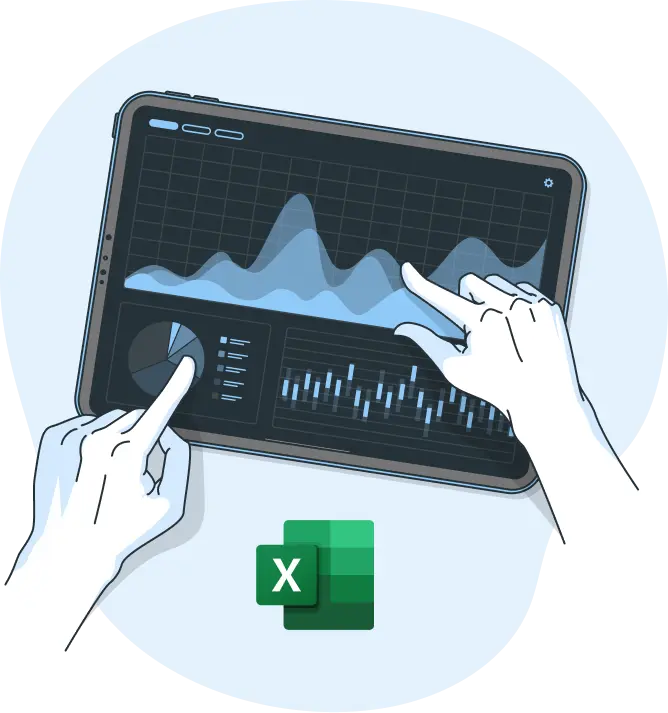
You can upload supported spreadsheet files to ChatGPT and ask it to analyse the information.
Its data analysis capabilities can help clean datasets, identify trends, perform calculations, and create visualisations.
You can also ask questions in everyday language.
For example:
“Compare monthly sales and identify the three months with the lowest revenue.”
You don’t necessarily need to write complicated code to get started.
For professionals who work with Excel, MIS reports, and business data, this creates an interesting opportunity.
The real advantage isn’t simply generating a chart. It’s learning how to turn raw information into meaningful insights.
8. Custom GPTs: Build an Assistant for a Specific Purpose
Not every AI assistant needs to do everything.
Sometimes, you need one that understands a particular task extremely well.
That’s the idea behind Custom GPTs.
You can create specialised assistants by providing instructions, reference documents, and selected tools.
For example, a business could create:
A Customer Support Assistant
It can refer to approved support documents and help prepare responses to frequently asked questions.
A Content Writing Assistant
It can follow a particular brand’s tone, writing guidelines, and content requirements.
A Learning Assistant
It can explain concepts, create practice questions, and help students understand difficult topics.
The biggest advantage is consistency.
Instead of explaining your requirements every time you start a new conversation, you can configure an assistant around a specific purpose.
This is particularly useful for professionals and businesses that perform similar tasks repeatedly.
9. Voice Conversations: Learn and Communicate More Naturally
Typing isn’t always the most comfortable way to interact with AI.
Sometimes, you simply want to talk.
ChatGPT Voice allows users to have spoken conversations with the assistant.
Think about someone who wants to improve their English communication skills.
Instead of memorising grammar rules, they could practise everyday conversations with ChatGPT.
They could discuss their work, prepare for interviews, practise introductions, or ask for help with pronunciation.
Similarly, a student could ask questions while studying, or a professional could discuss an idea while preparing for a presentation.
Voice makes AI interaction feel more conversational.
And as these experiences improve, AI becomes more accessible to people who aren’t particularly comfortable with typing or technology.
10. Connected Apps and AI Agents: Bringing Different Workflows Together
One of the biggest developments in AI is the growing ability to work across different applications.
ChatGPT supports connected apps and specialised tools that can help users access information and perform supported actions.
Depending on the available integrations and permissions, these may include working with emails, calendars, documents, and business systems.
Consider a simple example.
You have a meeting tomorrow, but you need to review previous discussions, identify pending tasks, and prepare an agenda.
With appropriate app connections, ChatGPT can help gather relevant information and organise it into a useful summary.
Newer agent-based experiences take this idea further by helping with multi-step workflows.
However, there is an important distinction: not every connected app allows the same actions, and some activities require user approval.
AI should assist with important decisions, not silently make every decision on your behalf.
The Bigger Question: Are We Using AI to Its Full Potential?
Here’s something worth thinking about.
Many people say they are using AI regularly. But using ChatGPT to rewrite a sentence every morning is very different from using it to improve an entire work process.
The opportunity lies in understanding what these tools can actually do.
A marketing professional could use AI for research, content planning, and campaign analysis.
An accountant could explore data analysis and reporting workflows.
A teacher could create learning materials and interactive exercises.
A business owner could investigate competitors, prepare business documents, and organise repetitive tasks.
But there are limitations.
AI can misunderstand instructions, produce inaccurate information, or make mistakes while analysing data. Generated content may also require editing before it is ready for professional use.
Privacy matters too. Sensitive business information, customer records, and confidential documents should only be shared in accordance with appropriate data protection policies and account settings.
And remember, not every feature is available to every user. Some require paid subscriptions, supported regions, connected apps, or gradual rollout access.
What Should You Start Exploring Today?
You don’t need to learn every ChatGPT feature at once.
Start with something connected to your everyday responsibilities.
If you work with data, experiment with spreadsheet analysis.
If you create content, explore image generation and custom assistants.
If you spend hours researching, try Deep Research.
If you manage projects, explore ChatGPT Work and the available collaboration features.
And if you want to improve your communication, experiment with Voice and Live Dictation.
The best way to learn is to take one real task from your daily routine and see how AI can help you complete it more effectively.
Don’t just explore a feature because it’s new. Explore it because it solves a problem.
The Real Advantage Isn’t Having More AI Tools. It’s Knowing How to Use Them.
Think about how people once learned to use computers.
Initially, many used them for basic typing and calculations. Gradually, they discovered spreadsheets, presentations, databases, design software, and countless other possibilities.
AI is going through a similar transition, except the pace of development is considerably faster.
The people who benefit most won’t necessarily be those who download the most AI tools or know the longest list of prompts.
They will be the people who understand how to apply these tools to real situations, question their outputs, recognise their limitations, and combine technology with their own skills and judgement.
ChatGPT has already moved far beyond simple conversations. And we’re only beginning to understand what becomes possible when research, creativity, data, communication, and automation start working together.
So, the next time you open ChatGPT, don’t limit yourself to asking a question.
Give it a task worth exploring.